




AI Tools Blog
Perplexity Computer Goes Fully Local on Mac: Which Macs Qualify

Perplexity Computer local mode, announced on October 20, 2026, keeps the model, the agent and your files on the Mac in front of you, and it can even work offline. Whether you can use it comes down to one spec: unified memory. Perplexity recommends 36GB or more, and when you line that up against Apple's current configurations, the list of qualifying Macs is shorter than the launch coverage suggests. Below we map every current Mac to the two thresholds that matter, explain what still goes to the cloud, and suggest who should try it now and who should wait.
- Perplexity announced a fully on-device mode for its Computer agent on October 20, 2026, for Pro, Max and Enterprise subscribers.
- Two local models ship at launch: Qwen 3.6 and PPLX Pro, a version of Qwen post-trained by Perplexity, both downloaded inside the Mac app.
- Perplexity recommends 36GB of unified memory or more. The M6 Mac mini and the M5 MacBook Air top out at 32GB.
- M5 Pro Macs have no 36GB option: the step after 24GB is 48GB. Only M5 Max starts at 36GB.
- Current information, browser use and cloud-connected apps still need cloud access, which you approve per task. Hybrid Compute remains the option for 24GB Macs.
What Perplexity actually shipped
Perplexity Computer is the company’s general-purpose agent: you give it a multi-step job and it plans, uses tools and works through files and apps. Until now, the heavy reasoning ran in Perplexity’s cloud. According to Perplexity’s October 20 post, the new local mode moves the AI model, the agent harness and task execution onto the Mac itself. Planning, reasoning and file processing happen on the device, while code and tool execution run in isolated sandboxes with controlled access to files and connected apps.
With your permission, Computer can work across local files and native apps such as Notes, Messages, Mail, Keynote and Numbers. The example 9to5Mac highlighted is a good picture of the intended use: scan recent messages and emails, find upcoming deadlines, and write an action list into Notes. 9to5Mac also reports that tasks can run with no internet connection at all.
The local mode launches with two models, Qwen 3.6 and PPLX Pro, which Perplexity describes as a post-trained version of Qwen. You download and set them up from inside the Perplexity Mac app. Perplexity has not published model sizes or explained when to pick one over the other.
This is not a free-tier feature. Local mode is limited to Perplexity Pro, Max and Enterprise subscribers, and heise notes that the Mac app is distributed through perplexity.ai rather than the Mac App Store.
The 36GB question: which current Macs qualify?
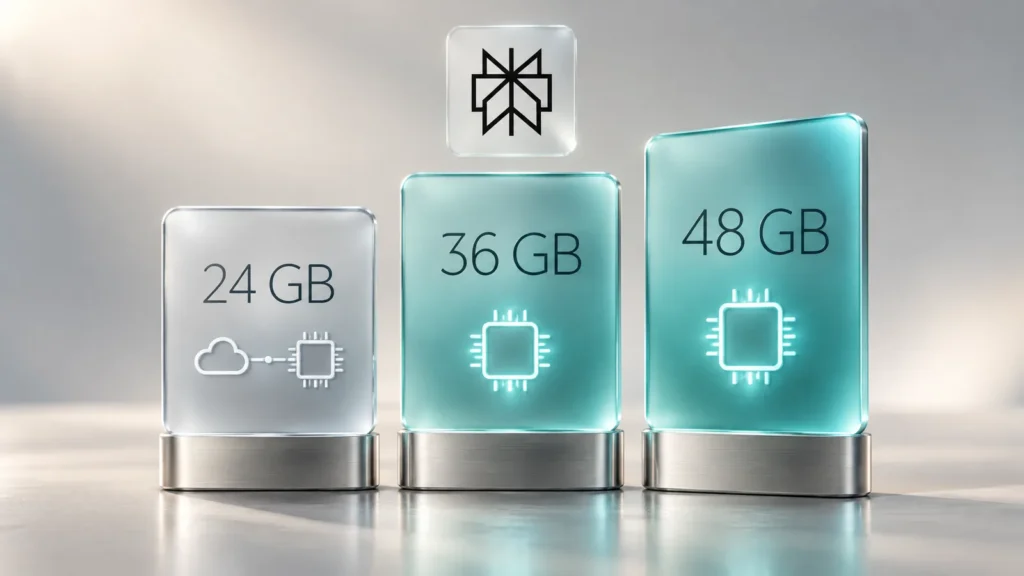
Perplexity recommends 36GB or more of unified memory for fully local use and points to the new Mac mini with M6 and M5 Pro as examples. That example needs a footnote. Apple’s own spec page shows the M6 Mac mini maxing out at 32GB, below the recommendation, a mismatch heise and AppleInsider both flagged.
We checked Apple’s current spec pages on October 26, 2026 and matched each line to Perplexity’s two thresholds: 24GB minimum for Hybrid Compute and 36GB recommended for fully local use.
| Mac | Memory options | Hybrid Compute (24GB+) | Fully local, recommended (36GB+) |
|---|---|---|---|
| MacBook Air 13- and 15-inch (M5) | 16, 24, 32GB | 24GB and 32GB configs | No configuration |
| Mac mini (M6) | 16, 24, 32GB | 24GB and 32GB configs | No configuration |
| Mac mini (M5 Pro) | 24, 48, 64GB | All | 48GB and 64GB configs |
| MacBook Pro 14-inch (M5) | 16, 24, 32GB | 24GB and 32GB configs | No configuration |
| MacBook Pro 14- and 16-inch (M5 Pro) | 24, 48, 64GB | All | 48GB and 64GB configs |
| MacBook Pro 14- and 16-inch (M5 Max) | 36, 48, 64, 128GB | All | All |
| Mac Studio (M5 Max / M5 Ultra) | 36GB up to 512GB | All | All |
The detail that matters for buyers: there is no 36GB M5 Pro. Apple’s configurator jumps from 24GB to 48GB, and 36GB exists only as the M5 Max base. So the cheapest new Macs that meet Perplexity’s advice are a 48GB M5 Pro or a 36GB M5 Max. heise put the cheapest qualifying Mac mini, the 48GB M5 Pro, at €2,659 or more in Germany. Apple silicon memory can’t be upgraded later, so this is a decision to make at checkout.
Check what your Mac has
- Open the Apple menu in the top-left corner.
- Choose About This Mac.
- Read the Memory line. If the chip line shows an Intel processor, neither local mode nor Hybrid Compute is supported.
Keep in mind that 36GB is a recommendation, not a published hard minimum, and Perplexity hasn’t stated a minimum macOS version for the local mode. A 32GB Mac may load the models, but nobody, Perplexity included, has published speed or stability numbers yet.
Fully local vs. Hybrid Compute
Local mode builds on Hybrid Compute, which Perplexity launched for Mac on September 1, 2026. Hybrid Compute starts tasks in the cloud, where large models handle research, planning and long reasoning. An on-device classifier flags sensitive material such as names, emails, account numbers and privileged files, and you decide whether that slice stays local, gets masked, or goes to the cloud anyway. Perplexity says it open-sourced that classifier.
Hybrid Compute asks for less hardware: any Apple silicon Mac on macOS 15 or later with at least 24GB of unified memory. Its launch models were Gemma 4 E4B, Qwen3.6 35B-A3B and a Perplexity model.
- Hybrid Compute: the brain stays in the cloud, sensitive pieces stay on the Mac. Works from 24GB. Better for tasks that depend on fresh web information.
- Fully local: model and agent both run on the Mac. 36GB or more recommended. Works offline; personal files stay on the device by default.
Both live in the same app, and you choose per task.
What “fully local” doesn’t cover
The fine print matters here. Tasks that need current information, browser use or cloud-connected apps still require cloud access. You authorize that, and you decide when credits get spent. The local orchestrator can also call one of more than 15 frontier models in the cloud when a problem is too hard for the local model.
A fair reading is “on-device by default,” not “never touches the cloud.” If you handle confidential client or company material, read each cloud request before approving it and check it against your organization’s data policy. The privacy claims currently rest on Perplexity’s own description; no independent audit has been published.
Who should try it now
- You already own a 48GB+ M5 Pro or an M5 Max Mac and pay for Pro: there’s no extra cost to try it. Run a few routine Notes, Mail and Numbers tasks locally and compare the output with the cloud models you normally use.
- You’re on a 24GB or 32GB MacBook Air or Mac mini: Hybrid Compute is the realistic choice. It keeps sensitive data on the Mac while the cloud does the heavy reasoning.
- You’re thinking of buying a Mac for this: wait for independent speed tests. The local models are far smaller than frontier cloud models and may fall short on complex research.
- IT and security teams: on the Hybrid Compute side, admins can set organization-wide rules for what stays local, what gets masked and what needs approval, and can audit when data leaves a device.
Frequently asked questions
Can Perplexity Computer run offline on a Mac?
Yes, in fully local mode. Per the October 20, 2026 announcement, the model, planning and file processing run on the Mac, and tasks can run without an internet connection. Steps that need current information, browser use or cloud-connected apps go to the cloud only with your approval.
How much memory does Perplexity Computer local mode need?
Perplexity recommends 36GB of unified memory or more and hasn't published a hard minimum. Macs with 24GB or more on macOS 15+ can use Hybrid Compute, which pairs cloud models with an on-device model.
Is local mode available on the free Perplexity plan?
No. Fully local mode and Hybrid Compute are limited to Perplexity Pro, Max and Enterprise subscribers.
Is the M6 Mac mini enough?
It falls short of the recommendation. Apple's spec page lists 32GB as the maximum for the M6 Mac mini. The lowest Mac mini configuration that meets the 36GB advice is the M5 Pro with 48GB.
Which models run locally?
Two at launch: Qwen 3.6 and PPLX Pro, a Qwen model post-trained by Perplexity. Both are downloaded inside the Perplexity Mac app.
Does it work on Intel Macs?
No. Both fully local mode and Hybrid Compute require an Apple silicon Mac.
Sources
- Perplexity Computer now runs fully local on Mac — Perplexity, 26 October 2026
- Introducing Hybrid Compute on Mac — Perplexity, 26 October 2026
- Mac mini – Technical Specifications — Apple, 26 October 2026
- MacBook Pro – Technical Specifications — Apple, 26 October 2026
- Perplexity Computer Can Now Run Fully Locally on Mac — MacRumors, 26 October 2026
- Perplexity's Computer can now run entirely on your Mac, even offline — 9to5Mac, 26 October 2026
- Perplexity Computer: Run Qwen 3.6 locally on a Mac — heise online, 26 October 2026
- Perplexity brings hybrid compute to Mac, keeping sensitive AI work on device — MacDailyNews, 26 October 2026


