




AI Tools Blog
Canva Craft AI image generator: a practical guide for 2026

The Canva Craft AI image generator is the model now running behind Dream Lab: Canva released it on October 22, 2026 to every user worldwide, including Free accounts. Because Craft was trained on Canva's library of human-made templates rather than on photographs, its pitch is layout and legible text, the two things general image models still fumble when you ask for a poster or a menu. Rather than repeat the launch post, this guide covers what you actually need to decide: how to use Craft in Dream Lab, how far your monthly AI allowance stretches, where the model still trips up, and what the preview API and the upcoming MCP support mean for teams.
- Craft is the first image model built and trained from scratch by Canva Research, Canva's in-house AI lab; it replaced the Leonardo Phoenix model that powered Dream Lab at its 2024 launch.
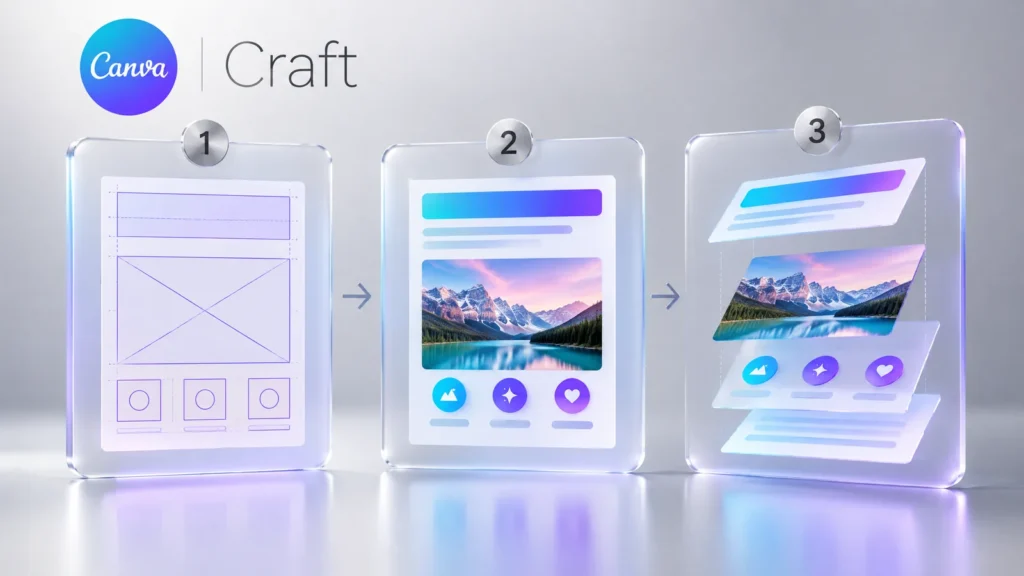
- It works in two stages: a planning model maps out elements, scale, hierarchy and text, then a separate rendering model draws the image at up to 2K in more than 30 aspect ratios.
- Canva says prompts can be in any language and in-image text is supported in 55 languages.
- Generations draw on Canva's shared monthly AI allowance; per the pricing page, Free gets up to 20 Premium uses a month, Pro up to 200 Premium or 20 Ultra uses.
- Developers can call Craft today through a preview Connect API endpoint; MCP support for assistants such as ChatGPT and Gemini is marked coming soon, with no date.
What Canva Craft is, and why it matters
When Dream Lab launched in October 2024, it ran on Phoenix, a model from Leonardo.ai, which Canva had acquired that year. Craft is the first time Canva has shipped an image model of its own. According to Canva’s announcement, it was developed and trained by Canva Research; TechCrunch reports that researchers who came over with Leonardo.ai contributed to the work.
Two choices set Craft apart. The first is training data: Canva says it used millions of human-designed templates from its content library, including posters, social posts, presentations, infographics, menus and text-heavy layouts, rather than a photo corpus. The second is architecture. A planning model reads your prompt and writes a detailed plan of the scene: which elements appear, where they sit relative to each other, how big they are, what the visual hierarchy is and which text belongs in the image. A separate rendering model then turns that plan into pixels, at up to 2K resolution and in more than 30 aspect ratios.
The practical upshot is that a request like “a farmers market poster with three offers and a date” starts from a page layout instead of a picture with text pasted on top. TechCrunch also notes the business angle: running its own model gives Canva more control over quality, speed and the API costs of relying on several outside models.
How to use Craft in Dream Lab, step by step
Canva’s own instruction is a single line: open Dream Lab from the bottom left panel. An independent hands-on review by Gaurav Tiwari (October 2026) fills in the rest of the flow:
- Click the Dream Lab icon at the bottom of the left sidebar, or go straight to canva.com/dream-lab.
- Check that the model picker under the prompt box reads Canva Craft-1 2K. In the review the model was locked; changing the quality tier did not unlock another model.
- Pick an aspect ratio. Canva advertises 30+ ratios for the model, but the reviewer found six in the Dream Lab menu: 16:9, 9:16, 1:1, 4:3, 3:4 and 2:1. There was no 4:5 for Instagram feed posts.
- Choose a quality tier (Standard, Premium or Ultra; Premium is the default) and, optionally, one of 19 style presets.
- Write the prompt and generate. Each prompt returned four variations in under 90 seconds in the review.
- For a targeted change, type it into the What would you like to change? box. Canva recommends one change per request.
- Open the result in the editor and run Magic Layers from the Edit menu in the image tools to split it into editable text boxes and objects.
How many images does your plan get?
Craft has no separate price tag. Every generation comes out of Canva’s shared AI allowance, which resets monthly. Here is what Canva’s pricing page showed when we checked on October 25, 2026:
| Plan | Price (US) | Standard | Premium | Ultra |
|---|---|---|---|---|
| Canva Free | $0 | up to 200 | up to 20 | none |
| Canva Pro | $12/month billed yearly ($144), or $18 monthly | up to 2,000 | up to 200 | up to 20 |
| Canva Business | $20.83/person/month billed yearly, or $25 monthly | up to 4,000 | up to 400 | up to 40 |
Read the columns as “or”, not “and”: they share one pool and assume you stay in a single tier. Canva’s help center adds that complex tasks or mixing tools can push you toward the low end of each range. Two caveats are worth knowing. Canva’s “Understanding your AI usage” help page lists Free as up to 20 Standard or Premium uses, so the Free Standard figure is 200 on the pricing page but 20 in the help center; both agree on 20 Premium uses. And during a Pro trial, the pricing page says your allowance stays at the Free level until you start paying.
Canva has not said how much of the allowance a single Craft generation consumes. Since Premium is Dream Lab’s default tier, roughly 20 generations a month on Free is a cautious working assumption; with four variations per prompt, that is enough to evaluate the model, not to run a content calendar. Heavy users can look at the AI Pass add-on, which Canva prices at $100 per person per month for 40 times the Pro allowance.
Getting clean text out of Craft
Text-heavy design is where Craft is supposed to shine, and the hands-on results back that up with caveats. On an event poster, the headline, dates and all three offers were correct in all four variations; a restaurant menu came back with all eight dish names and prices intact. The same test surfaced two habits to plan around: Craft adds copy you did not ask for (three of four poster variations gained a line of opening hours), and even a one-change edit re-renders the whole image, leaving faint differences along edges.
A working checklist based on those findings:
- Put every word in quotes: spell out the headline, dates and prices in the prompt, and add “no other text”.
- Test your language first: Canva claims 55 languages for in-image text but has not published the list, and the review only tested English. If you design in French, Spanish or anything with accents, start with a short headline and proofread it letter by letter.
- Keep logos out of the prompt: the reviewer found the Apply brand option greyed out in Dream Lab. Run Magic Layers, then drop in your real logo and brand fonts.
- Resize before you post: output is capped at 2K and not always an exact platform size; the review got 1355 x 2399 pixels for 9:16 rather than 1080 x 1920.
- Proof the layers: Magic Layers turned menu items into live text boxes, but dotted leader lines vanished in conversion. Anything going to print deserves a designer’s pass.
For developers and agencies: API, MCP and what’s next
Craft is also available outside the editor. Canva’s October 22 post on its developer forum says you can pin it on the Connect API image generation endpoint with the model value craft_v1_2k. Jobs take about 50 to 60 seconds end to end, draw on the user’s AI allowance and need a user access token with the asset:write scope. The endpoint is still a preview, so Canva warns that breaking changes may occur, and reporting by OrcaRouter points out that public apps built on preview APIs cannot pass Canva’s app review yet.
Support in the Canva MCP server, which would let assistants such as ChatGPT and Gemini generate Craft images that land as usable designs, is listed as coming soon. Canva is also working on two cheaper, faster variants, Craft-fast and Craft-ultrafast, plus advanced editing and reference-image support; none has a release date.
How to read the leaderboard claim
Canva bills Canva Research as the world’s second most advanced AI lab for image generation, based on DesignArena. That is a lab ranking, not a model ranking: in a snapshot taken on October 23, Craft sat fourth with 1,341 points, behind three OpenAI models led by GPT-Image-2.5 Sunburst at 1,406. Canva also claims first place for Craft in People and Portraits and in Landscapes and Nature. Crowd-voted boards shift daily, so the useful test is your own: run the same brief through Craft and whichever tool you use today, and compare the results side by side.
Frequently asked questions
Is the Canva Craft AI image generator free?
There is no separate charge, and Canva says Craft is open to all users, including Free accounts. Each generation uses your monthly AI allowance; the pricing page lists up to 20 Premium uses a month on Free, and Premium is Dream Lab's default tier, so plan on roughly 20 generations a month (checked October 25, 2026).
Where do I find Canva Craft?
Open Dream Lab from the icon at the bottom of Canva's left sidebar or at canva.com/dream-lab. If the model picker under the prompt box shows Canva Craft-1 2K, you are generating with Craft.
Can I still pick another model in Dream Lab?
Not at the moment, according to an independent review: the picker is locked to Canva Craft-1 2K and changing the quality tier does not unlock other models. Canva says faster Craft-fast and Craft-ultrafast variants are on the way.
Can I edit images made with Craft?
Yes. Open the image in the editor and run Magic Layers from the Edit menu; text becomes live text boxes and graphics become separate objects. Canva says Craft's planning stage uses JSON bounding boxes that make this conversion more accurate and faster, though fine details such as dotted lines can be lost.
Can I use Craft inside ChatGPT or Gemini?
Not yet. Canva lists Craft support in its MCP server as coming soon, without a date. Developers can already use it through the preview Connect API image generation endpoint with the model value craft_v1_2k.
Is Craft better than OpenAI's image models?
On DesignArena's overall board it ranked fourth in an October 23 snapshot, behind three OpenAI models, while Canva claims category wins for portraits and landscapes. Craft's advantage is layout and editable output inside Canva; for your own work, compare the same prompt across tools.
Sources
- Introducing Canva Craft — Canva, 25 October 2026
- Connect API: Canva Craft is now available for image generation — Canva Developers Community, 25 October 2026
- Canva Pricing: Compare Free, Pro, Business and Enterprise plans — Canva, 25 October 2026
- Understanding your AI usage — Canva Help Center, 25 October 2026
- Canva releases its first image generation model — TechCrunch, 25 October 2026
- Canva launches Craft image model with 2K output and API — TestingCatalog, 25 October 2026
- Canva Craft Review for Agencies and Freelancers — Gaurav Tiwari, 25 October 2026
- Canva Craft: 4th on Design Arena, Preview-Only API — OrcaRouter, 25 October 2026


