




AI Tools Blog
GPT-6 Sol vs Astra vs Luna: Which ChatGPT Plan Gets What

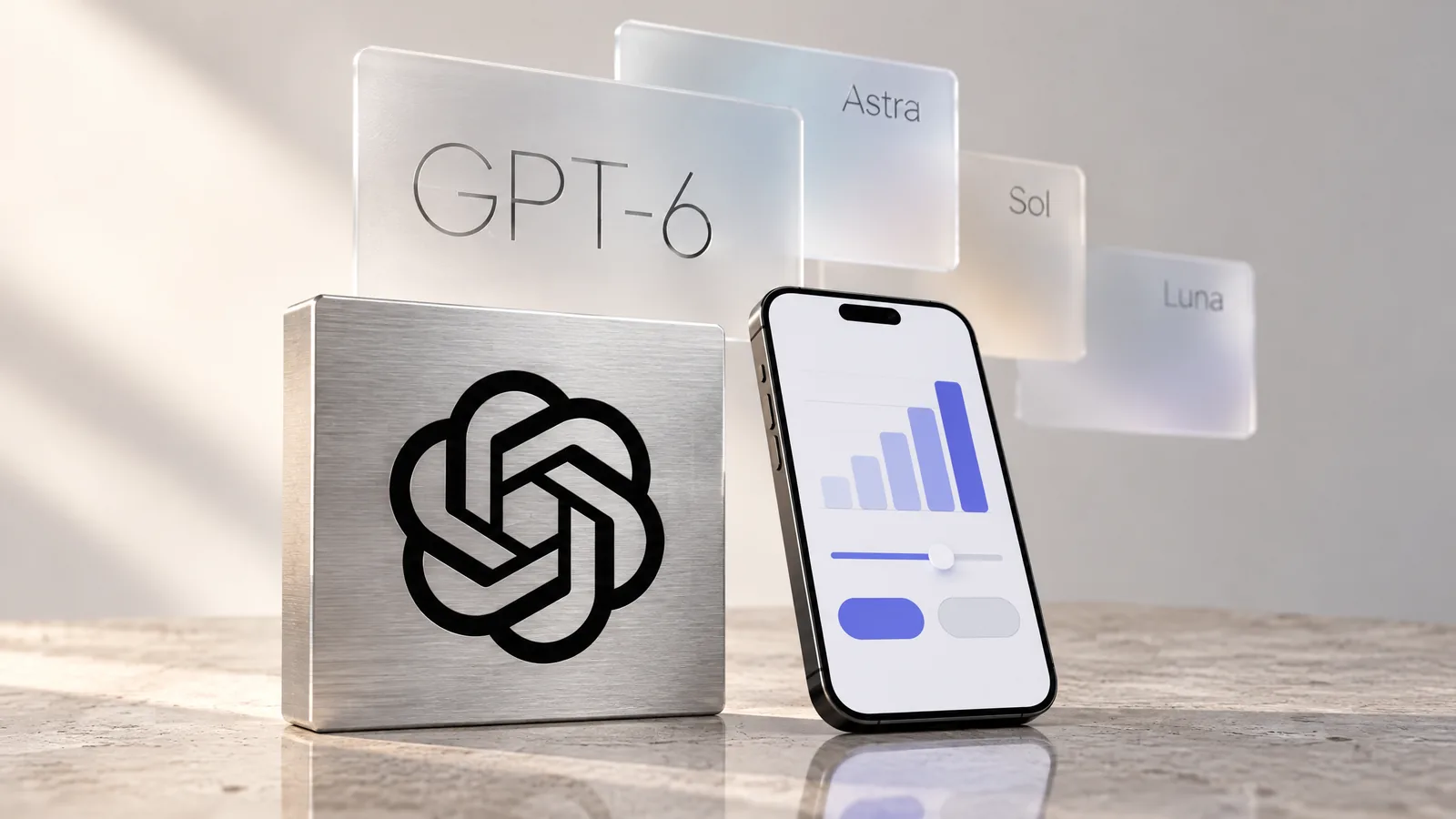
GPT-6 Sol vs Astra comes down to this: Sol is the everyday model behind ChatGPT's Chat tab on paid plans since October 7, 2026, while Astra is OpenAI's most capable model and, in Chat, only runs behind the Pro reasoning option. Luna, the lightest of the three, is what OpenAI announced for Free and Go. Rather than recap the launch, this guide lines up OpenAI's announcement, help center and pricing pages so you can see what each plan really includes, what it costs, and where the official documentation still contradicts itself.
- Since October 7, 2026, Plus, Pro, Business and Enterprise use GPT-6 Sol in the Chat tab; Free and Go were announced to move to GPT-6 Luna from October 8.
- GPT-6 Astra is only reachable in Chat through the Pro reasoning option, available on Pro ($100, $200, $500), Business and Enterprise.
- Plus subscribers get Astra in ChatGPT Work and Codex instead, with an estimated 5–45 local messages per five-hour window.
- Plus is capped at Medium and High reasoning in Chat; Extra High and Pro require Pro, Business or Enterprise.
- OpenAI's models help page still lists GPT-5.6 Luna for Free and Go, so check the model picker in your own account.
How the GPT-6 family rolled out
OpenAI did not ship GPT-6 in one go. It arrived over roughly five weeks, and the order matters because each model landed in a different part of ChatGPT first:
- September 3, 2026: GPT-6 Astra announced as OpenAI’s most capable model.
- September 22, 2026: GPT-6 Sol and GPT-6 Luna arrive in ChatGPT Work and Codex.
- September 29, 2026: GPT-6.1 Sol launches in Work, Codex and the API, alongside a new $500-a-month Pro 500 plan.
- October 7, 2026: GPT-6 reaches the Chat tab with a new response format called Intelligent UI. Paid plans first, Free and Go from the next day.
Two details trip people up. First, the October 7 release only changed the Chat tab; OpenAI’s announcement states that the models in Work and Codex did not change. Second, GPT-6.1 Sol is not in Chat yet. If you pick GPT-6 in a normal conversation, you are getting GPT-6 Sol (or Luna on the free tiers), not 6.1.
GPT-6 Sol vs Astra vs Luna by ChatGPT plan
The table below combines OpenAI’s GPT-6 announcement, the “GPT-6 and other models in ChatGPT” and “Intelligent UI in ChatGPT” help articles, and the ChatGPT pricing page (checked October 18, 2026). Prices are OpenAI’s US list prices before tax.
| Plan | Price per month | GPT-6 in the Chat tab | Reasoning levels in Chat | Astra access |
|---|---|---|---|---|
| Free | $0 | GPT-6 Luna | No Medium, High, Extra High or Pro | None |
| Go | $8 | GPT-6 Luna | No Medium, High, Extra High or Pro | None |
| Plus | $20 | GPT-6 Sol | Medium and High | Work and Codex only |
| Pro | $100, $200 or $500 | GPT-6 Sol | Medium, High, Extra High and Pro | Chat (Pro option), Work and Codex |
| Business | $20 per user (billed annually, 2+ users) | GPT-6 Sol | Medium, High, Extra High and Pro | Via the Pro option |
| Enterprise | Custom | GPT-6 Sol | Medium, High, Extra High and Pro | Depends on workspace model permissions |
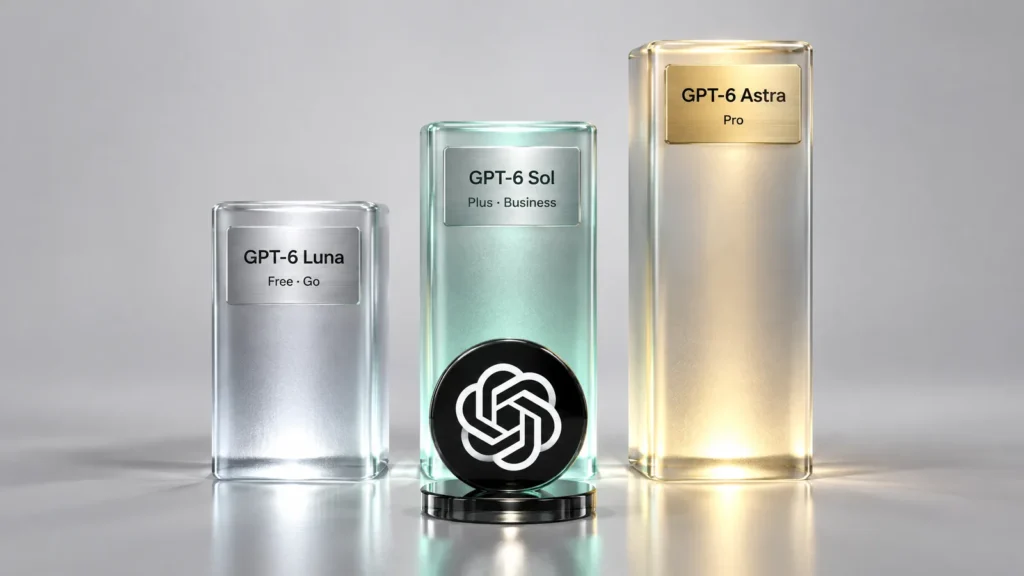
The practical takeaway is that the gap between Plus and Pro is no longer just about volume. On Plus, the strongest thing you can do in Chat is run GPT-6 Sol at High. Extra High and the Astra-powered Pro option are reserved for Pro, Business and Enterprise. Plus users can still try Astra, but only in ChatGPT Work and Codex.
Pro 100, Pro 200 and Pro 500
Pro now has three price points. According to OpenAI’s help center, GPT-6 Pro (powered by Astra) is available in Chat on the $100 and $200 Pro plans as well as Business and Enterprise. Pro 500, introduced September 29, carries the highest included usage of the Pro plans and is the only Pro tier with the Ultrafast speed option in Work and Codex; at launch it could only be bought on the web. The same day, Pro 200 reopened to new subscribers, but OpenAI’s Pro tiers article notes that new subscriptions not eligible for grandfathering come with a lower usage allowance at the unchanged $200 price.
What actually separates Astra, Sol and Luna
All three belong to the same generation but are tuned for different jobs:
- GPT-6 Astra: the top model, aimed at long and difficult tasks. In Chat it only runs when you choose the Pro reasoning option. Expect slower answers and tighter allowances.
- GPT-6 Sol: the default on paid plans. The Chat version is tuned for everyday conversation and covers every level from the quick-answer mode up to Extra High.
- GPT-6 Luna: the lightest and fastest model, announced as the Chat model for Free and Go and used in Codex for high-volume, simpler work.
The Codex allowance estimates make the cost difference concrete. On Plus, OpenAI’s pricing page estimates local messages per five-hour window at 5–45 for Astra, 15–160 for GPT-6.1 Sol, 15–150 for GPT-6 Sol and 350–3,000 for Luna. OpenAI stresses these are estimates rather than fixed caps, weekly limits may also apply, and the usage dashboard shows where you stand. Pro plans, per the same page, currently have no five-hour limit in Codex.
Intelligent UI: why ChatGPT answers look different now
The most visible part of the October update is not the model but the answer format. With Intelligent UI, ChatGPT can mix text with charts, diagrams, tappable buttons, forms and small tools, choosing the mix based on the question. OpenAI’s own examples include a recipe that rescales for the number of guests, checklists, maps, a bill splitter and simple games. When plain text is the better answer, it still answers in plain text.
OpenAI says the interface is built from a library of native components that stream in while the model is still generating, rather than appearing once the answer is finished. GPT-6 can also start answering while it keeps reasoning: on questions that need web search, OpenAI reports that GPT-6’s quick-answer mode starts responding 44% sooner on average than the same mode on GPT-5.6. That figure measures time to first response, not time to a complete answer.
Intelligent UI works at every reasoning level from the quick-answer mode to Extra High. The exception is the Pro option: because it runs on Astra, it does not support the visual interface.
How to tone down the visuals
- Open ChatGPT on the web and go to Settings.
- Under Personalization, find Layout and Visuals.
- Select Simple. The change applies across all chats, including existing ones.
- For finer control, describe the format you prefer in Custom Instructions, or ask for a different style inside a single conversation.
OpenAI’s help article notes that some visual elements may still appear with Simple selected. There is no switch that turns the feature off entirely.
The documentation gap: GPT-6 Luna or GPT-5.6 Luna on Free and Go?
While researching this piece we found OpenAI’s own pages disagreeing on one point (checked October 18, 2026). The October 7 announcement, the release notes and the “Intelligent UI in ChatGPT” help article all say Free and Go moved to GPT-6 Luna in Chat. The “GPT-6 and other models in ChatGPT” help article, however, still lists GPT-5.6 Luna as the default for Free and Go, and the Free tier FAQ says the same.
The likeliest explanations are that the models page has not caught up yet or that the switch is reaching accounts gradually; OpenAI has not commented separately. The reliable check is the model picker in your own chat window, and if your answers have started showing charts and buttons, GPT-6 with Intelligent UI is live on your account. Free and Go keep everyday text chats free of a fixed message cap, subject to abuse safeguards, while file uploads, image generation, voice and data analysis keep their own separate limits.
Which plan makes sense for you?
- Everyday questions, writing help, translation and learning: Free or Go. Both get Intelligent UI; compare the tool limits if you lean heavily on uploads, images or voice.
- Long documents, coding and regular research: Plus at $20. You get GPT-6 Sol up to High in Chat and a limited Astra allowance in Codex.
- Daily hard problem-solving: Pro at $100 or $200. This is the cheapest individual route to Extra High and the Astra-powered Pro option inside Chat.
- Heavy Codex use with speed as a priority: Pro 500, the only Pro tier with Ultrafast.
- Teams: Business, which includes the Pro option and bills per user.
If you are weighing Plus against Pro, spend a week using Plus’s Astra allowance in Codex first. If you reach for Astra a few times a week, Plus is probably enough; if it is the center of your daily work, the jump to Pro is easier to justify.
Frequently asked questions
What is the difference between GPT-6 Sol and GPT-6 Astra?
Astra is OpenAI's most capable GPT-6 model, aimed at long and difficult tasks, and in ChatGPT's Chat tab it only runs behind the Pro reasoning option. Sol is the balanced everyday model that powers GPT-6 in Chat on Plus, Pro, Business and Enterprise, from the quick-answer mode to Extra High. Sol is faster and has much larger allowances; Astra trades speed for capability.
Is GPT-6 available on the free ChatGPT plan?
OpenAI's October 7, 2026 announcement says Free and Go users get GPT-6 Luna with Intelligent UI from October 8. OpenAI's models help article still lists GPT-5.6 Luna for those plans (checked October 18, 2026), so the model picker in your account is the most reliable answer.
How much does GPT-6 Astra cost in ChatGPT?
For individuals, the cheapest way to use Astra in Chat is Pro at $100 a month; Pro also comes at $200 and $500. Business at $20 per user per month (billed annually, two-user minimum) includes the Pro option too. Plus at $20 gives Astra only in Work and Codex, at an estimated 5–45 local messages per five hours.
What is GPT-6 Pro?
GPT-6 Pro is the Pro reasoning option in ChatGPT, powered by GPT-6 Astra. It is available on the Pro $100 and $200 plans, Business and Enterprise (subject to admin model permissions). It does not support Intelligent UI.
Can I turn off Intelligent UI?
Not completely. On the web, go to Settings, Personalization, Layout and Visuals and choose Simple to reduce visual and interactive elements. Some may still appear. Custom Instructions can also steer the response format.
Is GPT-6.1 Sol available in ChatGPT Chat?
Not yet. GPT-6.1 Sol launched on September 29, 2026 in ChatGPT Work, Codex and the API. The GPT-6 option in the Chat tab runs on GPT-6 Sol, and the October 7 update did not change the Work and Codex models.
Sources
- GPT-6 and Intelligent UI for everyone — OpenAI, 18 October 2026
- GPT-6 and Intelligent UI in ChatGPT (announcement) — OpenAI Developer Community, 18 October 2026
- GPT-6 and other models in ChatGPT — OpenAI Help Center, 18 October 2026
- Intelligent UI in ChatGPT — OpenAI Help Center, 18 October 2026
- Pricing — OpenAI (ChatGPT Learn), 18 October 2026
- ChatGPT Gets GPT-6 and New Intelligent UI With Visual Answers — MacRumors, 18 October 2026
- ChatGPT is getting a lot more visual, with the launch of a new interface — TechCrunch, 18 October 2026


