

AI Tools Blog
ChatGPT switch accounts: how to run work and personal side by side

ChatGPT switch accounts support reached the phone on October 30, 2026, when OpenAI began rolling out the web's account switcher to its iOS and Android apps. You can keep two accounts signed in and move between them without logging out. This guide goes past the announcement: a setup walkthrough for people who keep a work and a personal account, a clear list of what never crosses between them, and the billing mistake that is easiest to make once both accounts live in the same app.
- Up to two ChatGPT accounts can be signed in at once, but only one is active; adding a third means logging out of one first.
- On mobile: Settings, then Switch account, then Add account. On the web: the account menu, then Add account.
- Chats, memory, files, settings, workspaces and subscriptions stay with each account; switching merges nothing.
- A Plus or Pro plan only applies to the account that pays for it.
- The rollout is gradual, and OpenAI has only said desktop support is coming soon.
What shipped, and where
The ChatGPT release notes for October 30, 2026 say account switching is rolling out to the iOS and Android apps. The web had it first; the phone apps are catching up. OpenAI’s Thibault Sottiaux posted about the mobile switcher on X on October 31 and said desktop support is on the way, without a date. If you live in the Mac or Windows app, nothing changes for you yet.
OpenAI’s help article, “Using multiple ChatGPT accounts on web and mobile,” sets the ground rules. You can be signed in to at most two ChatGPT accounts at the same time. You may own more than two; the cap is on simultaneous sessions, not on accounts. Only one account is active at any moment, and the chat list, memory, files and settings you see always belong to that active account.
For anyone who uses a company-issued ChatGPT login alongside a personal one, this removes a daily chore: no more signing out, typing a password and waiting for a verification code just to ask a personal question on your lunch break.
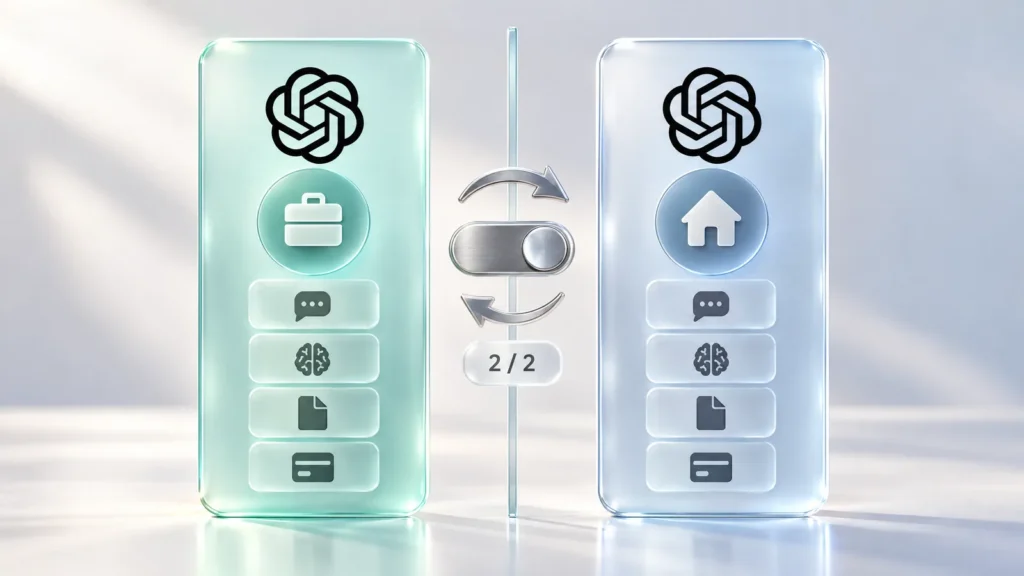
How to switch accounts in ChatGPT
On iPhone and Android
- Update the ChatGPT app from the App Store or Google Play.
- Open Settings and tap Switch account.
- Tap Add account and sign in once with the second account. You can also create a new account from the same screen; a new account starts on the Free plan.
- From then on, go to Settings, then Switch account, and pick the other account. A checkmark marks the one that is active.
On the web
- Open the account menu (the menu with your profile name).
- Select Add account and sign in with the second account.
- To switch, open the same menu and select the account you want.
- To sign one account out, choose Log out and confirm.
Two troubleshooting notes from the help article and early coverage. If Switch account is missing on your phone, either the app is out of date or the staged rollout has not reached you. If Add account is missing, you almost certainly have two accounts signed in already; the option is hidden until you log out of one. On mobile, logging out of the active account drops you straight into the other signed-in account.
What stays separate between the two accounts
Switching is not merging. According to OpenAI, each account keeps its own conversations, memory, files, settings and subscription. Here is how that plays out in practice:
| Item | What happens when you switch |
|---|---|
| Chat history | Each account has its own list; chats never move across. |
| Memory | Not shared. What your work account remembers stays out of your personal account, and vice versa. |
| Files and uploads | Tied to the account that uploaded them. |
| Settings | Personalization, language and data controls are set per account. |
| Subscription and billing | Never combined. A paid plan covers only the account that pays. |
| Workspaces | Not merged; a managed workspace keeps its own policies. |
| Notifications (mobile) | Can arrive for both accounts; tapping one for the inactive account switches to it. |
Whether you get notifications from both accounts depends on each account’s settings and your phone’s permissions. The automatic switch on tap is handy, but it also means the active account can change without you choosing it from the menu. Glance at the account name before you type.
The billing trap: looking for Plus in the wrong account
The most expensive mistake with two signed-in accounts is a payment one. A Plus or Pro subscription lives on one account only. Switch to the other account and you are working with whatever plan that account has, which for a second account is usually Free. Coverage of the launch makes the same point: if a paid plan seems to have disappeared, check which account is active before you subscribe again, or you may end up paying twice for the same month.
The same goes for plan-gated features. A model or tool you use every day on your paid account may simply not appear in the picker on the free one. Before assuming something broke, check the account name.
Who benefits, and what to watch
- Work and personal split: keep the company account for company work and your own account for everything else. Check which account is active before pasting client details or internal documents; putting work data into a personal account defeats the point of keeping two.
- Managed workspaces: OpenAI says organizations can decide whether account switching is available in workspaces they manage on the web. If the option is missing only on your work account, ask your admin. Also note that if a workspace tied to one account is deactivated, ChatGPT does not automatically move you to the other account.
- Students and freelancers: a school or client account kept apart from your own stops memory and project context from bleeding across. Each account builds its own picture of your work.
- Shared phones: the feature is built for one person with two accounts. If a family member’s account stays signed in on your device, their chats are one tap away for anyone holding it.
One clarification worth making: account switching is not a way to share an account. Each account still belongs to one person; the switcher just saves that person from logging in and out.
Is it better than browser profiles?
Before this, the usual workaround was a separate browser profile or a private window on desktop, and on a phone, signing out and back in every time. Browser profiles still work well on the web and have no two-account cap. The mobile app had no comparable trick, which is why this update matters more on the phone than anywhere else. The trade-off is the hard limit of two simultaneous sessions, and for desktop app users, a wait of unknown length.
Frequently asked questions
How many ChatGPT accounts can I be signed in to at once?
Two. You can own more than two accounts, but to add a third you must log out of one of the two that are signed in. Only one account is active at a time (checked November 2, 2026).
How do I switch accounts in the ChatGPT mobile app?
Update the app, open Settings, tap Switch account, then Add account and sign in to the second account. After that, use the same screen to pick either account; a checkmark shows the active one. If the option is missing, the staged rollout may not have reached you yet.
Does my ChatGPT Plus subscription work on both accounts?
No. Subscriptions and billing are not combined; a paid plan applies only to the account that pays for it. A second account without its own subscription stays on its current plan, usually Free. If your plan seems to be gone, check the active account before paying again.
Will switching accounts mix up my chats or memory?
No. OpenAI says each account keeps its own chats, memory, files, settings and subscription, and switching does not move or merge any of it. A conversation started in one account cannot be opened from the other.
Can I switch accounts in the ChatGPT desktop app?
Not yet. Account switching works on the web and in the iOS and Android apps. OpenAI has said desktop support is coming soon but has not given a date.
Why is Switch account missing on my work account?
Organizations can control whether account switching is available in workspaces they manage. If it is missing only on your work account, ask your administrator. If it is missing everywhere on your phone, update the app; the rollout is gradual.
Sources
- Using multiple ChatGPT accounts on web and mobile — OpenAI Help Center, 2 November 2026
- ChatGPT — Release Notes — OpenAI Help Center, 2 November 2026
- ChatGPT Account Switching Arrives on iPhone and Android Apps — ShiftDelete.Net, 2 November 2026
- ChatGPT lets you switch between two accounts on your phone without signing out — MIXED, 2 November 2026
- ChatGPT Adds Account Switching to Its iOS and Android Apps — TokenPost, 2 November 2026