

AI Tools Blog
CapCut ChatGPT Plugin and EditPilot: What You Can Use Today

The CapCut ChatGPT plugin was the headline of CapCut World Los Angeles on October 24, 2026, but it is not available yet: CapCut only says it is coming "in the coming months" and has published no price or plan requirement. What you can use right now is EditPilot, the prompt-based assistant in CapCut's PC desktop editor, which got an update at the same event. This article separates the shipped features from the announced ones, walks through a practical EditPilot workflow, and lays out what the Standard and Pro plans include.
- CapCut announced a ChatGPT plugin at CapCut World Los Angeles on October 24, 2026; it has no release date, price or plan requirement yet.
- EditPilot is live today but only in the PC desktop editor, and CapCut says English is its launch priority.
- In-preview editing (Generative and Interactive Edit) is coming to desktop, web and mobile, while an agent-style creation flow will be piloted in the coming months.
- CapCut's help center describes Standard as mobile-focused with basic AI tools, and Pro as the plan for desktop, web and advanced AI features.
- On the US App Store, Standard is listed at $9.99 per month and Pro at $19.99 per month (checked November 1, 2026).
What CapCut announced in Los Angeles
CapCut World is a three-stop event series CapCut runs this year. The first stop was Singapore in September, Los Angeles followed on October 24, 2026, and the last one is scheduled for London in November. In its October 27 recap, CapCut says more than 300 creators and partners attended, and that the app now reaches over 700 million monthly users in more than 170 markets and 30 languages.
The announcements share one direction: instead of clicking through a timeline, you describe or point at the change you want. But they sit at very different stages. Here is the status of each item based on CapCut’s own pages, checked November 1, 2026:
| Feature | What it does | Platforms | Status |
|---|---|---|---|
| ChatGPT plugin | Builds a first cut from an idea discussed in ChatGPT, refined through chat | ChatGPT | Coming in the coming months |
| EditPilot | Natural-language edits on the timeline | PC desktop | Available, updated |
| Generative and Interactive Edit | Select what to change directly in the preview window | Desktop, web, mobile, tablet | Announced |
| AI Lab | Conversational space that turns photos and clips into vlogs or recaps | Mobile | Announced |
| Agentic creation | Goal-to-first-draft flow with the creator in control | Desktop, web, mobile | Pilot in the coming months |
| AI transparency tool | Checks whether an uploaded file was made with CapCut, Dreamina, Pippit or Hypic AI tools | Not specified | Pilot |
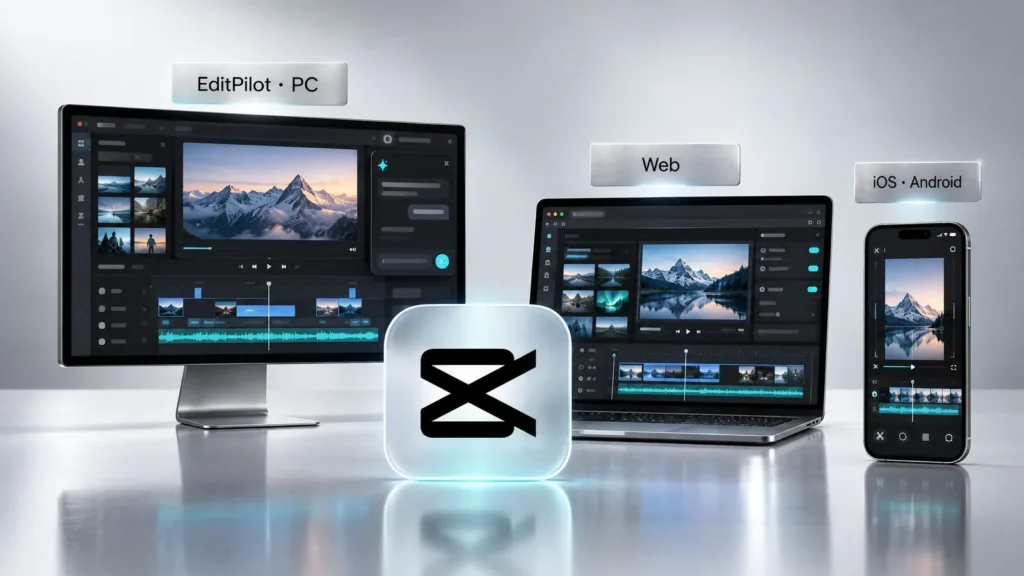
The web editor also gets an upgrade: better editing performance, built-in image, video and audio generation, and Interactive Edit, AI Extend and Intelligent Audio are said to be on the way. None of the announcements come with prices, plan tiers or firm launch dates.
How the CapCut ChatGPT plugin will work
According to CapCut, you develop an idea in ChatGPT, CapCut assembles a first cut, and you keep refining it in conversation, for example by holding a shot longer or keeping music under a voiceover. Mashable’s report, syndicated on Yahoo Tech, adds that you can also edit the cut by hand and ChatGPT takes those changes into account as the conversation continues. In the demo CapCut posted on X, a user uploads clips from a sports game, asks for a 12-second highlight reel, then asks ChatGPT to add on-screen text.
The open questions matter more than the demo. CapCut has not said when the plugin ships, whether it works on ChatGPT’s free tier, or whether it will need a paid CapCut plan, a paid ChatGPT plan, or both. If you are deciding on a subscription today, treat the plugin as a roadmap signal rather than a feature you can count on.
How to use CapCut EditPilot today
EditPilot is not new. CapCut’s own guide dates from August 6, 2026, and the feature was shown at the Singapore event in September. The Los Angeles update extends it to complex or repetitive timeline tasks; CapCut’s example is recoloring one specific object in a shot while leaving everything else untouched.
CapCut’s EditPilot page is clear about two limits: it is currently a PC desktop feature with no separate web or mobile app, and English is the launch priority. The workflow CapCut recommends looks like this:
- Import footage and build a rough timeline. The guide says a perfect timeline is not needed; a basic assembly is enough.
- Write an outcome-focused instruction. CapCut’s examples: “Turn this 12-minute tutorial into a 90-second highlight cut”, “Remove repeated points and tighten pacing”, “Keep the hook in the first three seconds and make the explanation more direct.”
- Review the changes on the full timeline. Check that the beats, transitions and meaning survived.
- Refine with follow-up prompts. Ask for a shorter version, a faster pace, sections to leave alone, or alternates for different platforms.
- Finish by hand. Text, music, sound balance, framing and final pacing are still your call.
The tool page also lists removing filler words, shortening a talking-head take, generating captions, cleaning up speaker audio and reducing noise. CapCut stresses that EditPilot is not a one-click video maker: it cuts repetitive work but does not make editorial decisions for you. In practice the payoff is biggest on long recordings such as tutorials, webinars, interviews and podcasts, and smallest on short clips you would cut by feel anyway. Prompts without a target length or audience tend to produce weak results, so be specific.
Is CapCut EditPilot free?
CapCut does not say. The EditPilot page only shows a free download button, and the August guide is marked “No credit card required”, but neither page describes which plan includes the feature. What is documented is the split between plans in CapCut’s April 2026 help article, and that split points desktop users toward Pro:
| Standard | Pro | |
|---|---|---|
| Editing | Primarily mobile | Mobile, desktop and web |
| Cloud storage | 100 GB | 1 TB |
| AI tools | Basic: AI effects, noise reduction, loudness adjustment | Advanced: camera tracking, auto captions, AI avatars, AI image and video generation |
| Templates and assets | Free templates | Premium templates, commercial-use assets, team tools |
| US App Store, monthly | $9.99 | $19.99 |
Prices come from the in-app purchase list on CapCut’s US App Store page, checked November 1, 2026. The same list includes a $89.99 yearly subscription and a $7.99 monthly item without a plan name, so it is not clear from the store page alone which tier they belong to. Prices bought through the web or desktop app, and in other countries, can differ; the checkout screen is the final word.
How CapCut credits work
Heavier AI jobs such as video generation consume credits. Under CapCut’s credit rules, subscription credits expire at the end of each subscription month, purchased credits stay valid for two years, and credits are spent in this order: subscription, then activity, then purchased. Purchased credits are non-refundable and cannot be transferred. CapCut’s help center adds that annual Pro subscribers receive 50% more monthly credits than monthly subscribers, with the exact amount set at the start of each billing cycle and shown most clearly on CapCut Web. Whether EditPilot itself consumes credits is not stated on any official page.
Who should upgrade, and who should wait
Phone-first creators get little from Los Angeles today. AI Lab and in-preview editing were announced for mobile, but without a rollout date, so Standard remains a reasonable plan if you only cut short clips on your phone.
Desktop editors working with long footage are the clear audience for EditPilot right now. If you turn lectures, webinars or interviews into shorter cuts, try it on a real project with English prompts and measure the time saved before committing to Pro for a year. There is no official word on a Mac version.
People waiting for the ChatGPT plugin have nothing to buy yet. Once it ships, CapCut will have to say what each side requires. CapCut Pro is also available in our store for those who want to try the desktop tools; the package covers what its product page states.
 CapCut Pro – 1 Month Ready AccountIn stock$3.50
AI labels and the new transparency tool
CapCut repeated that it labels AI-generated content and uses C2PA Content Credentials and invisible watermarks. The new pilot tool lets anyone upload a file to check whether it was made with AI tools from CapCut, Dreamina, Pippit or Hypic. If you produce client or brand videos, that is worth knowing: platforms increasingly require AI disclosure, and CapCut exports may carry that information whether or not you add a label yourself.
Bottom line
The only Los Angeles announcement you can put to work today is EditPilot, and it runs on PC with English as the priority language. The ChatGPT plugin and agentic creation are months out with no pricing. If you edit on desktop, Pro is the plan CapCut’s documentation aligns with; if you edit on your phone, Standard still covers the basics. Check the current price at checkout before you subscribe.
Frequently asked questions
Is the CapCut ChatGPT plugin available yet?
No. CapCut announced it at CapCut World Los Angeles on October 24, 2026 and says it will arrive in the coming months. No release date, price or plan requirement has been published.
Is CapCut EditPilot free?
CapCut has not said. The EditPilot page offers a free download but does not describe plan requirements. CapCut's help center says desktop editing and advanced AI tools belong to the Pro plan, while Standard is mobile-focused with basic AI tools.
Does EditPilot work on Mac, web or mobile?
According to CapCut's EditPilot page, it is currently a PC desktop feature and has no separate web or mobile app. CapCut has not published information about a Mac version.
What languages does EditPilot understand?
CapCut says English is the launch priority for EditPilot. For the most consistent results, write prompts in English and include a target length and audience.
How much does CapCut Pro cost?
On the US App Store, CapCut lists Pro at $19.99 per month and Standard at $9.99 per month (checked November 1, 2026). Prices on the web, on desktop and in other countries may differ.
Do CapCut credits roll over?
Subscription credits expire at the end of each subscription month. Purchased credits stay valid for two years and are spent after subscription and activity credits. Purchased credits are non-refundable.
Sources
- CapCut World Los Angeles: New AI Tools & ChatGPT Plugin — CapCut, 1 November 2026
- CapCut EditPilot: AI Video Editing Assistant for PC — CapCut, 1 November 2026
- How to Use EditPilot in CapCut PC: A Beginner's Guide to AI Conversational Editing — CapCut, 1 November 2026
- What is the Difference Between Standard and Pro Subscription — CapCut Help Center, 1 November 2026
- Credit rules — CapCut, 1 November 2026
- CapCut: Photo & Video Editor (In-App Purchases) — Apple App Store (US), 1 November 2026
- CapCut is adding a ChatGPT plugin. See it in action. — Mashable / Yahoo Tech, 1 November 2026